How to Send Large Files Securely When They’re Too Big to Email
Send files that exceed email attachment limits with a cloud link, transfer service, direct route or file request, plus access and encryption checks.
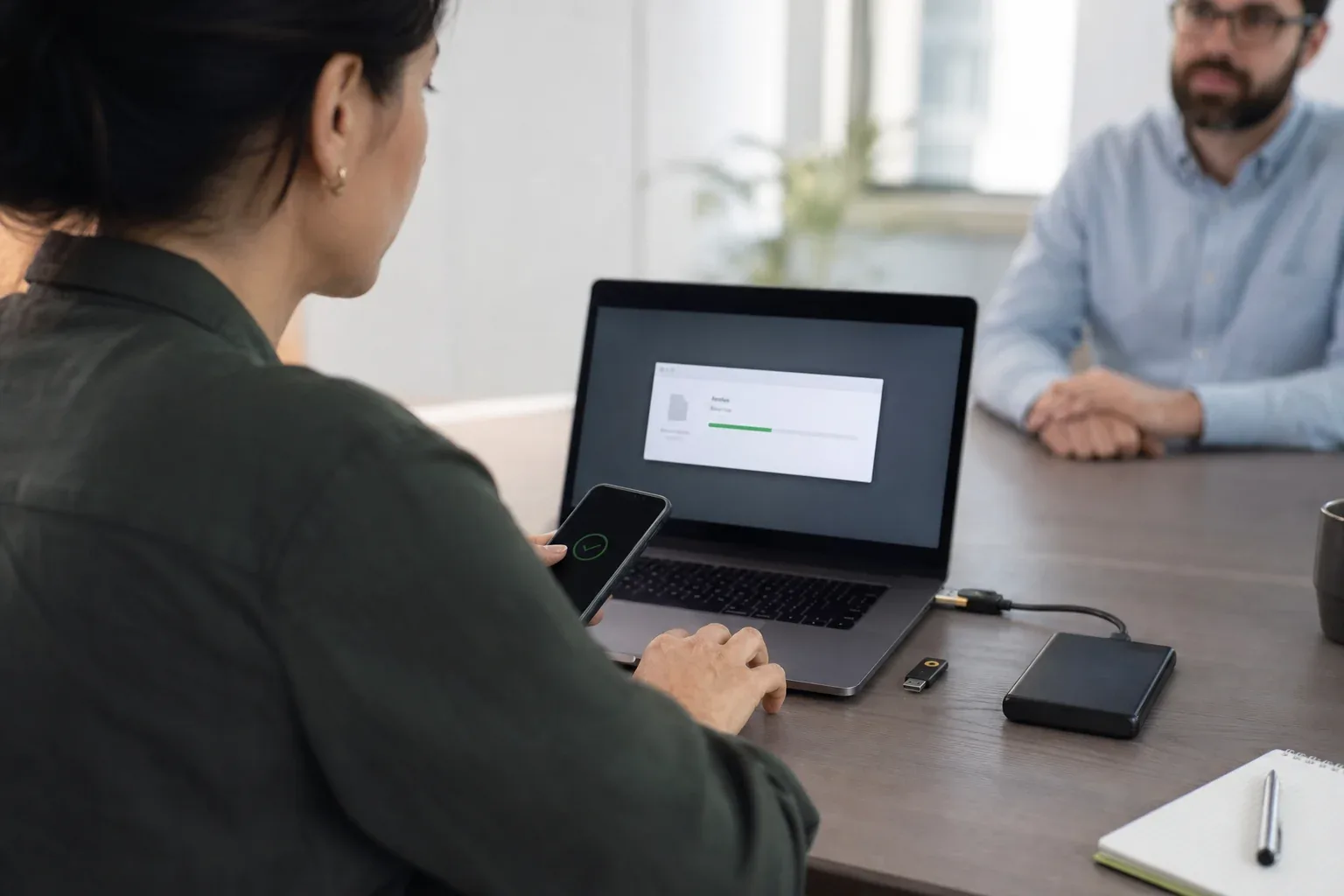
To send files that are too big for email, upload the originals to an approved storage or transfer service, then email a link the recipient can open. If the files are already in a shared folder the recipient can reach, link that copy instead of uploading them somewhere else.
Email still carries the delivery instructions; the decision is where the file lives and who should be able to retrieve it. A cloud drive suits material that needs ongoing collaboration or a long-term home. A transfer link suits a defined handoff. Direct endpoint transfer can suit repeated deliveries between devices you control. Each approach needs appropriate access settings; choosing a link does not, by itself, make a file private.
When a delivery has already failed, start with what failed: the email’s attachment limit, the upload itself, or access to the linked file. Each needs a different fix. Compressing a video repeatedly will not resolve a permission error, and a new download link will not help if the recipient’s organization blocks that service.
Check which email limit applies
Providers and mail clients enforce different limits, and business administrators can change them. These official examples were checked on September 24, 2026, and the Gmail and Outlook.com pages again on October 2:
| Service | Documented limit | Larger-file option |
|---|---|---|
| Personal Gmail | 25 MB total attachments | Gmail substitutes a Google Drive link above the limit |
| Outlook.com | Microsoft support lists 25 MB for the message, including text and attachments | Send a OneDrive or other approved sharing link |
| iCloud Mail | 20 MB message size | Mail Drop supports up to 5 GB |
See Gmail attachment help, Outlook.com attachment help, and iCloud Mail limits. Microsoft’s broader Outlook application guidance also describes a 20 MB limit for internet email accounts; that is not a universal Outlook.com allowance, and managed Exchange environments may apply their own. Check the application and account you actually use.
A recipient’s mail system may impose another restriction. Read the compose warning or delivery failure message before retrying. An error about prohibited content or organization policy needs a different response from one explicitly about size; follow the recipient’s approved delivery route.
File size and message size are different
Base64 represents three input bytes as four characters, increasing the encoded data by about a third; MIME adds line breaks and headers. See RFC 2045, section 6.8.
For a calculated example, a 20,000,000-byte file becomes 26,666,668 Base64 characters before those additional message costs: 4 × ceil(20,000,000 / 3). This explains why a raw file size is not a safe estimate of the whole message. It is not a rule for reducing every provider’s displayed attachment allowance: some interfaces already account for encoding.
Add together all attachments and consider the scope of the reported limit. Once the service explicitly rejects the package, move to a suitable sharing route instead of trying progressively smaller changes without a clear target.
Choose where the recipient will get the file
No route automatically guarantees permission, retention or unlimited file size. Start from the situation:
| Situation | Practical choice | Check before sending |
|---|---|---|
| File already in a shared cloud workspace | Share that existing file | Intended recipient, view/download permission, and correct version |
| Finished package for an external recipient | Upload to a transfer service and send its link | Completed upload, sign-in or password requirements, and availability |
| Many files that should arrive as one package | ZIP if the recipient accepts archives | Resulting size, extraction support, and space for the extracted files |
| Recipient has a supplied upload portal | Use their approved portal | Accepted formats, submission limit, and completion confirmation |
| An established workflow specifically needs archive parts | Split only by agreement | Every part, supported extraction tool, and clear assembly instructions |
Cloud storage for ongoing work
A Dropbox, Google Drive, or OneDrive folder can keep a document available for future edits and reviews. Use named-recipient permissions when access should be restricted to specific people, and check whether external recipients can sign in with the accounts they have.
Before sending, review the shared scope. A link to a parent folder may expose more than the intended file. Test it as a recipient and keep the original permissions record so access can be removed when the project ends.
A transfer link for a defined delivery
A transfer service uploads a package and provides a download page. This can reduce recipient setup when the service supports browser downloads without an account. Check the maximum package size, link expiry, password options, download behavior, and billing for upload, delivery, and retention.
The DropSend comparison and WeTransfer comparison describe the plan and workflow differences to consider. A link must remain available long enough for the recipient’s schedule; a completed upload is only the first part of the handoff.
A ZIP or split archive
ZIP archiving preserves the files’ contents; it is different from exporting a lower-quality video. Microsoft’s ZIP guidance notes that already compressed material such as JPEG images may shrink little. Packaging can still make a folder easier to handle, even when it saves almost no space.
Split archives add a dependency: the recipient needs the required parts to reconstruct the package. They are a poor default for an ordinary email handoff. Never disguise blocked content or bypass a recipient’s security policy by changing extensions or packaging.
Direct transfer for recurring endpoint delivery
When both sides run supported transfer software, they can move files between their devices. A successful direct route avoids a separate cloud-staging step, but both endpoints need to be available. Confirm what happens if the connection fails: some products can change routes, while an explicitly selected direct-only route may stop.
This approach can suit a studio and editor who exchange originals regularly. A client who cannot install software is more likely to need a browser link.
A file request for incoming material
If the client needs to send files to you, provide a request link with a selected destination. They upload through the browser, and the files arrive in the intended folder. Review who can use the link, what uploader information is collected, and when the request should close.
Send the link with access already checked
- Choose the exact deliverable. Check names, version and folder structure. Keep the original files until receipt is confirmed.
- Finish the upload. A selected file or a progress bar is not a recipient-ready download. Wait for completion; use the browser upload guide if the upload fails.
- Set the intended access. Prefer named recipients when the material requires restricted access. Read-only access may be sufficient; editing permission is a separate choice.
- Test the relevant access mode. For an anonymous link, a private window can reveal a hidden sign-in requirement. For a restricted link, verify the invited address and ask the recipient to open it using that account.
- Send a short, specific note. Identify the files, explain the download step, and state any verified expiry or sign-in requirement.
Google Drive’s sharing documentation distinguishes restricted sharing from access for anyone with the link. The latter allows the link to be forwarded to others; choose it only when that exposure fits the material. Work or school policies can also restrict external sharing.
Use this message pattern, replacing the brackets with the actual delivery details:
The link contains [package name and version]. Please [download the originals / open the shared file] using [the invited account / no sign-in, if verified].
The files are available until [confirmed date, time and timezone]. Please confirm you can open them, and send the exact error if access fails.
Omit an expiry sentence when no deadline has been confirmed. If a password is configured, share it through a separate suitable channel. Sending an email, opening a link and finishing a download are separate events; for a deadline-critical delivery, confirm the recipient has the usable files.
Match the fix to the failure
The email rejects the attachment. Remove the oversized attachment and include the verified link. Keep the delivery instructions in the message. If the rejection is about policy rather than size, use the approved destination.
The recipient sees “request access.” Check which account they are using and whether it matches the invitation. Correct the recipient or permissions when appropriate; do not make confidential material public merely to eliminate the prompt. The recipient-signup guide explains the difference between registration and access verification.
The link is unavailable or opens the wrong package. Check the copied URL, file availability and link expiry. If you issue a replacement, identify it clearly so the recipient does not keep trying the old link.
The link opens but the download fails. Record the error and check storage, allowed downloads and network restrictions. Follow the service’s resume instructions before discarding partial progress. Access working in your account does not establish that the recipient’s device can complete the download.
Apply security controls to the chosen workflow
Encryption in transit protects the connection. Encryption before upload can additionally limit who can read the stored payload, depending on how keys are handled. Access controls determine who can request a download. These controls address different parts of the delivery.
A bearer link can be forwarded. A password helps only if it is strong and handled appropriately; share it through a separate trusted channel when the material calls for that protection. Neither expiry nor revocation removes a copy that a recipient has already downloaded.
An encrypted archive can also be appropriate when the recipient supports its format and the team manages the password securely. Its limitations are operational: key delivery, compatibility, and the inability to revoke an already received copy. Do not assume that either an archive or a sharing service is secure without checking its encryption and access model.
For sensitive client work, agree on these points before uploading:
- Who may receive the package and whether identity verification is required.
- Which storage locations and providers the client permits.
- Who holds the decryption key or password.
- How long the hosted copy should remain available.
- How the recipient will confirm integrity and successful receipt.
How WarpSend handles these deliveries
WarpShare stores a package in WarpFabric for browser download, so the sender can go offline after upload. Recipients need no WarpSend account or application. Password-protected links encrypt content with AES-256-GCM before upload and decrypt it in the recipient browser. Passwordless links use TLS and service-managed storage and access controls. The security overview documents the route-specific model, and the WarpShare guide covers setup and recipient checks.
WarpDirect sends between paired endpoints, with resumable transfer and completed-delivery verification. A successful direct tunnel does not stage file payloads in cloud object storage. Automatic routing may use managed Shuttle staging after a direct-connectivity failure under the applicable plan; an explicitly requested Tunnel fails rather than silently switching routes.
File Requests let someone upload to your cloud inbox without an account or app, with optional delivery to a selected endpoint folder. When the request is created with end-to-end encryption, which requires WarpSignet, the browser encrypts file chunks before upload; requests without it use TLS and service-managed storage. Operational metadata, including names, paths, sizes, and delivery status, remains visible to the service.
WarpShare is billed by upload volume, with no additional fee for recipients or repeat downloads. Extended retention can add charges. UDP endpoint speed plans are separate, and WarpShare browser downloads require no UDP subscription. See current pricing for the applicable terms.
Confirm the handoff
Send a clear package name and short instructions with the link. For high-value files, compare a checksum manifest at the destination and ask the recipient to open a representative file. Keep the source until acceptance and the agreed retention period.
For a single 100GB deliverable, compare download links, direct transfer and physical drives, including the time until the recipient has a verified local copy.
For regular client work, the freelancer workflow connects requests, delivery links, and direct transfer. Create a WarpShare link after selecting the access and retention settings for the package.
Frequently asked questions
What is the maximum email attachment size?
Personal Gmail allows 25 MB total attachments. Microsoft lists a 25 MB message limit for Outlook.com; iCloud Mail lists 20 MB. Business accounts and desktop clients may differ, so check the actual service and administrator policy.
How do I send a file that is too big for email?
Send a link instead of an attachment. Upload the file to a transfer service or cloud drive and email the link, or, for very large or recurring deliveries, use a direct device-to-device transfer. If you need to receive files, send a file request link so the other person uploads in their browser.
Will a ZIP make my video small enough for email?
Not necessarily. ZIP packages files without changing their contents, but already compressed media may shrink very little. Exporting a smaller video is a separate operation that can change quality. Use a link when the recipient needs the original.
Why does a link open for me but not for the recipient?
Your signed-in account may have access the recipient lacks. Check the invited address, sharing role and organization restrictions. A private window tests anonymous access; it does not prove that a named recipient can sign in successfully.
Is a password-protected zip a secure way to send files?
An encrypted archive can protect content when it uses an appropriate format, a strong password, and secure key delivery. The recipient must support the format, and an already downloaded copy cannot be revoked. Compare these requirements with the access and encryption model of a transfer link.
Does the recipient need an account to download a large file?
With a transfer-service or WarpShare link, no: the recipient opens the link and downloads in the browser. Cloud-drive links often require an account or permission changes. Direct device-to-device transfer needs the transfer app on both sides.
Does sending a link remove every file-size limit?
No. It removes the file payload from the email, but the storage or transfer service still has its own file-size, allowance and availability rules. The recipient also needs enough local storage and permission to download.