Share large files by link.
Upload once.
Upload large files once and send a simple link to anyone. Recipients download in their browser — no account, no app, and no need to keep your device online.
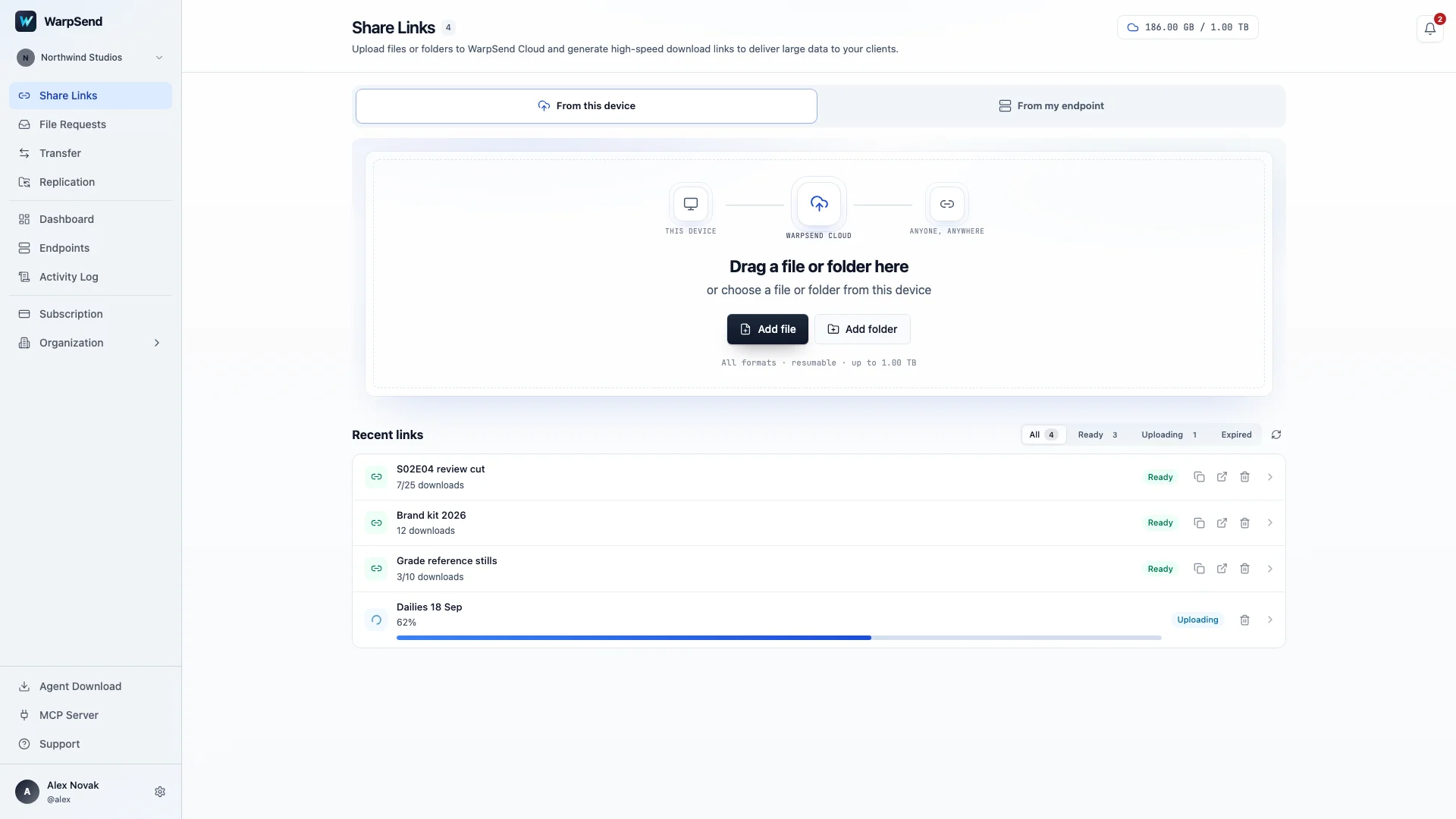
Keep files available after your device goes offline.
Clients may download a delivery hours after you send it. WarpShare stores the uploaded files for the link’s retention period, so recipients can download on their schedule without keeping your computer connected.
Create and send a download link.
-
Upload
Drag in files or folders of any size.
-
Create a link
Choose how long the link stays online — 7 days by default, up to 90 on a paid plan. Days beyond the included week accrue a separate retention charge. Add password protection when needed and customize the delivery with your branding. See retention terms.
-
Share with anyone
Send the link through email, Slack, text, or anywhere else. Recipients download directly in their browser. To collect their files, send a file request they can use to upload without an account.
Upload once. Deliver as many times as you need.
One upload becomes one link you can share with anyone. Every recipient downloads independently — one client, a distributed team, or hundreds of people. Your device doesn’t need to stay awake or online after the upload completes.
Recipients download in their browser.
Your recipients open the link in any browser and start downloading. There’s no WarpSend account to create and no software to install — share with clients, collaborators, and partners without adding another tool to their workflow.
Fast downloads, wherever your recipients are.
WarpShare serves downloads through the WarpFabric delivery network. After upload, recipients no longer depend on your device’s connection. Their download speed still depends on the route and their local network.
Multiple recipients and repeat downloads add no download fees.
Choose the access settings for each delivery.
Password protection
Require a password to open the delivery. Share it with recipients through a separate channel.
Link expiry
Links stay online for 7 days by default, or up to 90 days on a paid plan. Extra retention is billed for the days served. You can change retention after sharing the link.
Delivery tracking
Check when a link was opened and how many times its files were downloaded.
Encrypted transfers
Files are encrypted during upload and download, wherever your recipients are located.
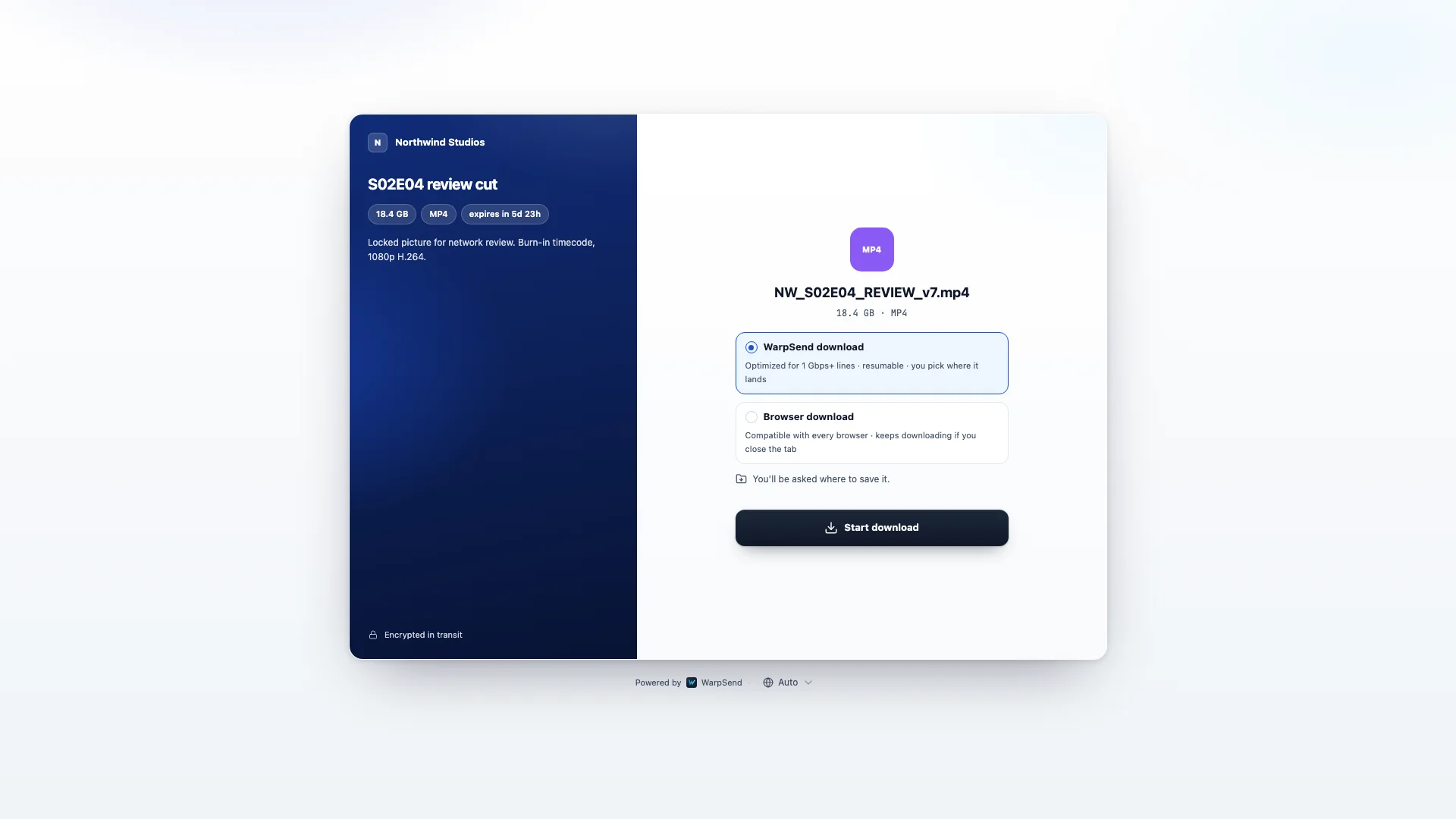
Branded download pages.
Add your logo and customize the download page so clients can recognize who sent the files.
Share project files with clients and partners.
Use a download link for finished work, review copies, or assets that several people need to receive.
Client deliverables
Send RAW videos, high-resolution photos, design files, CAD drawings, ZIP archives, and complete project folders — without compressing or reorganizing your work.
Team and partner sharing
Give editors, agencies, vendors, and collaborators one reliable place to download everything they need.
One-to-many distribution
Share product launches, marketing assets, press kits, event footage, or internal releases with unlimited recipients from a single upload.
Related guides
Plan a large-file delivery workflow.
Compare secure sharing, browser delivery, service limits, and the real transfer constraints behind client handoffs.
How to send large files securely
Choose encryption, access controls, expiry, verification, and a safe recipient workflow.
Read guideWeTransfer alternatives for large video
Understand where 4K and 8K production workflows outgrow consumer transfer limits.
Read guideWhy is my upload so slow?
Test asymmetric broadband, Wi-Fi, storage, RTT, packet loss, and service-side limits.
Read guideSynology QuickConnect large file download fails?
Why relayed 50 GB downloads stall, and the direct, resumable ways to deliver large files from a NAS.
Read guideShare large files from a busy NAS
Serve big downloads without starving the production or backup workload the NAS is already running.
Read guideHow WarpSend secures every link
Transport encryption, storage handling, link controls, and the access model behind WarpShare.
Read guide