Direct file transfer software for computers and NAS.
Send project files from the device that holds them to the device that needs them. When a direct connection is available, WarpDirect transfers the files without storing an intermediate copy in the cloud.
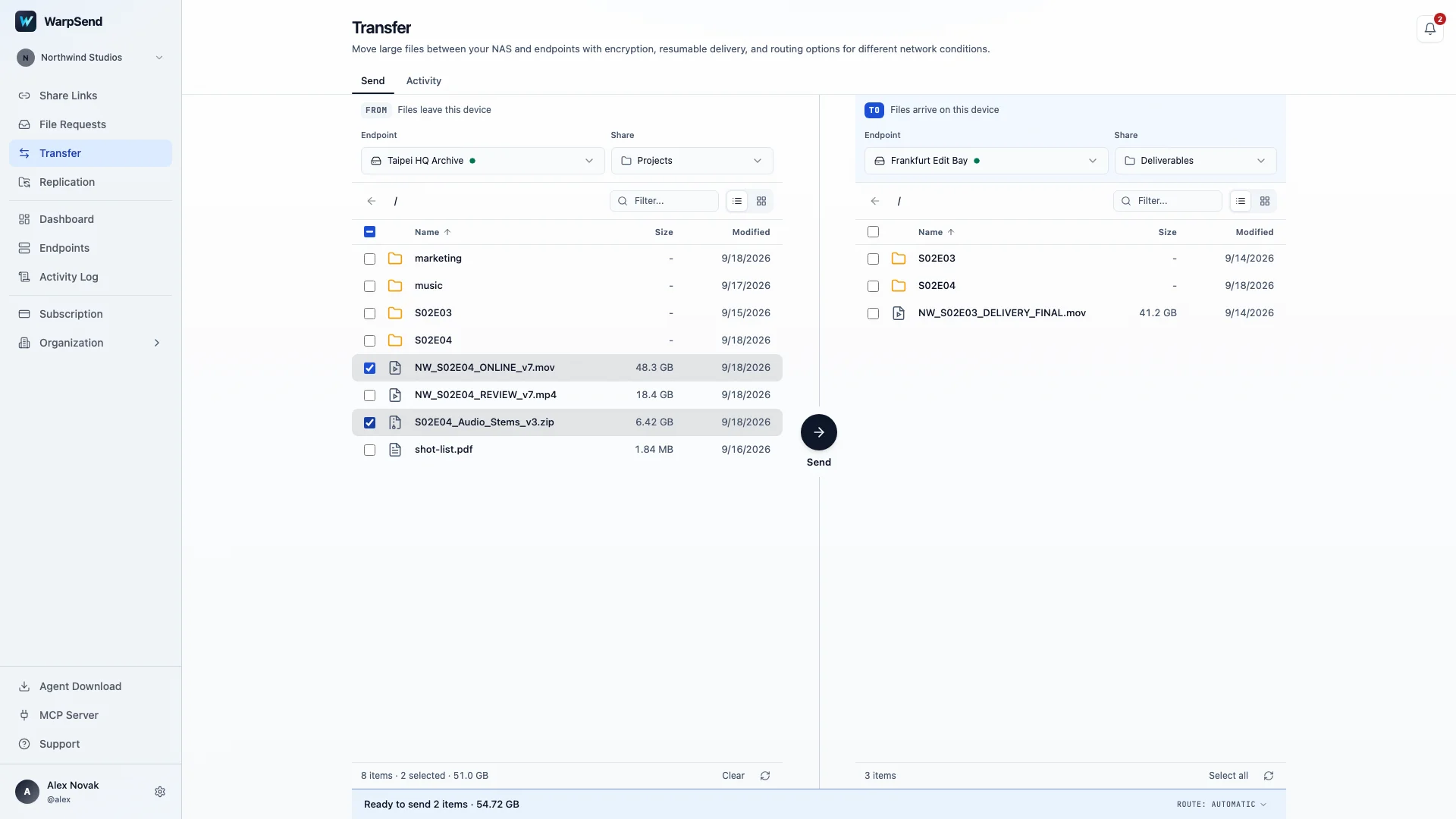
Transfer between your devices without a separate cloud upload.
A cloud share link is useful when recipients need to download later. For a handoff between two connected devices, a direct transfer avoids staging the files first. Both endpoints need to be online, and actual speed depends on the connection and storage at each end.
Install the WarpSend Agent on both devices and pair them with your account before selecting the source files and receiving folder. When a direct route is unavailable, paid UDP plans include Shuttle fallback through encrypted cloud staging. Check UDP plans and endpoint capacity for the speed ceiling and routes available to your team.
Files are uploaded to cloud storage, then downloaded by the recipient.
A successful direct connection carries files between endpoints without cloud storage.
Large files and large folders use the same transfer workflow.
A production master and a folder of image sequences place different demands on a transfer. WarpDirect adjusts its handling to the workload, so you can send either without manually splitting files or creating an archive first.
One large project
Thousands of small assets
Transfer behavior adapts to your files and network conditions.
Performance isn’t just about bandwidth. It depends on file size, file count, latency, and changing network conditions. WarpDirect adapts in real time to maximize throughput — without manual tuning. Results vary by route, hardware, and workload.
Adaptive transfer
Optimizes transfer behavior based on the workload in front of it.
Parallel transfers
Uses concurrent transfers to make better use of available bandwidth.
Network-aware optimization
Automatically responds to changing network conditions.
Cross-platform
Works across Windows, macOS, Linux, and NAS.
Resume an interrupted transfer from verified progress.
If a connection drops or a laptop sleeps, WarpDirect keeps track of verified progress. When the endpoints reconnect, the transfer resumes and checks the received files for integrity.
Reconnected after a network drop — continued from the last verified block.
Automatic resume
Resume from verified progress after the connection returns.
Integrity verification
Every transferred file is automatically verified for accuracy on arrival.
End-to-end encryption
Protect data while it’s moving directly between devices.
Send files across your workflow, from source material to finished work.
Video production
Move camera originals, edited masters, and project archives.
Photography
Transfer thousands of RAW images quickly and reliably.
Engineering
Deliver CAD models, simulations, firmware, and design packages.
Creative teams
Share design assets without waiting for cloud uploads.
Game development
Move builds and asset libraries between artists, developers, and studios.
IT & infrastructure
Transfer datasets, backups, and system images between offices and storage.
What to expect from a direct transfer.
- Delivery route
- Direct connection between endpoints
- Cloud storage on a direct route
- No intermediate file copy
- Many small files
- Transfer handling adapts to the workload
- Interrupted connection
- Resumes from verified progress
- Transfer speed
- Depends on your plan, route, and devices
- Traffic charges
- No per-GB fee for endpoint transfers
Related guides
Understand what limits transfer speed.
Use measured guides to diagnose latency, file-count overhead, and protocol bottlenecks before choosing a transfer path.
High-speed file transfer over long distance
A practical guide to RTT, packet loss, throughput, resumability, and route testing.
Read guideWhy thousands of small files transfer slowly
See how metadata, connection setup, and per-file work can dominate payload time.
Read guideWarpSend vs tuned FTP benchmark
Review the reproducible workload, methodology, wins, losses, and limitations.
Read guideRsync slow over WAN?
Separate file-list, change-detection, payload, and destination-storage bottlenecks.
Read guideTCP vs UDP file transfer over a WAN
What actually changes when a transfer leaves the LAN, and why the transport matters more than the tool.
Read guideHow to speed up SFTP over long distance
Why SFTP stalls on high-latency routes, what tuning helps, and when to change transport.
Read guideMove files the direct way.
Connect two devices and try a transfer with your own project files.