How to Transfer Raw Footage to a Remote Video Editor
Choose between direct transfer, cloud staging, proxy delivery, and shipping a drive for 100GB to multi-terabyte remote video editing projects.
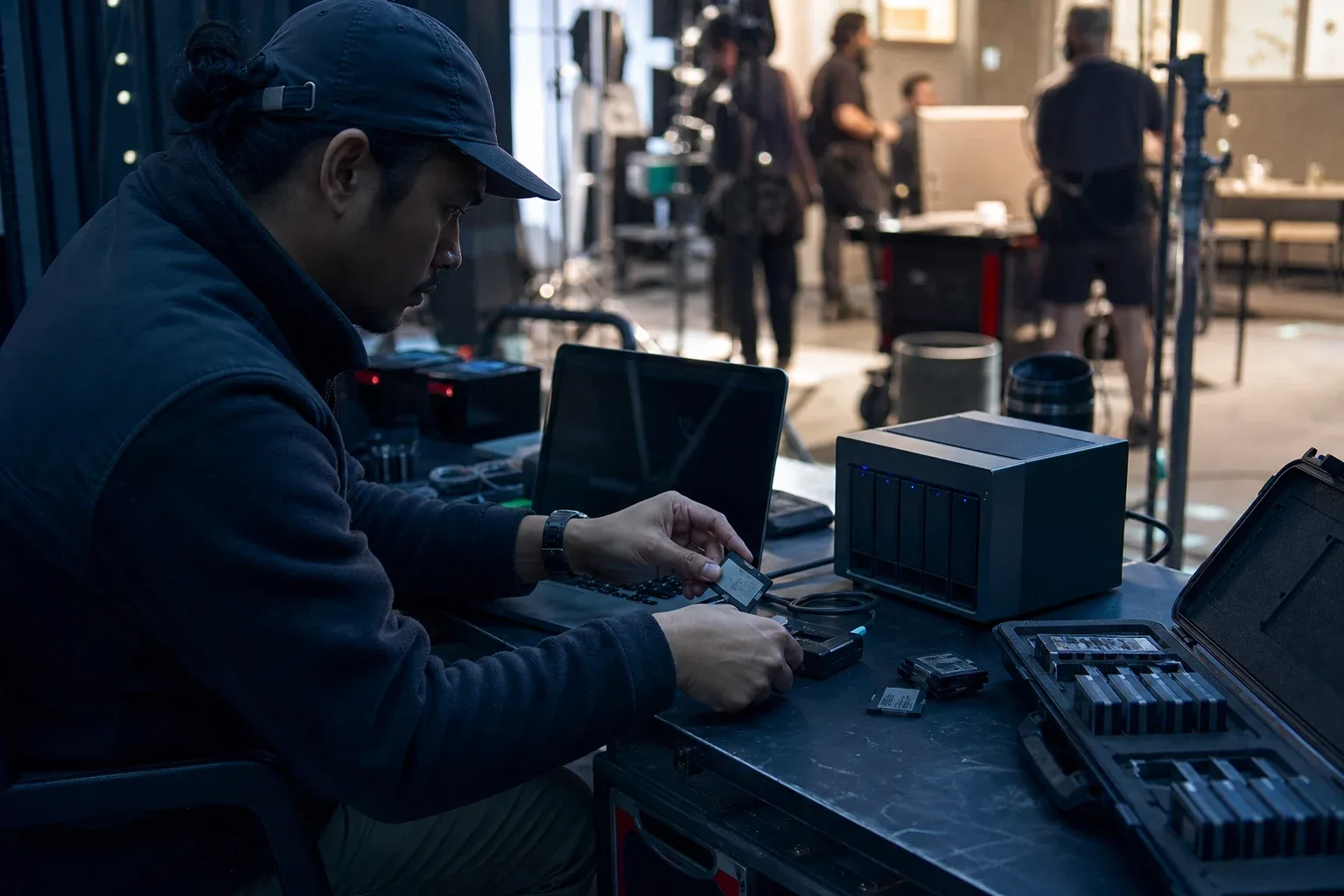
Before sending camera originals to a remote editor, agree on when editing must begin and which media the editor needs first. A direct transfer may suit two online workstations, while a stored download link lets the editor collect the package later. If the originals cannot arrive in time, proxies or an encrypted drive may meet the schedule.
Build the delivery around the actual package size and the recipient’s setup. The following comparison helps you choose a path, then preserve card structure and verify that the editor received usable media.
For the receiving team’s submission log, missing-item follow-up and release to editorial, use the client footage intake workflow.
The four practical delivery models
| Delivery model | Best fit | Main advantage | Main limitation |
|---|---|---|---|
| Direct endpoint transfer | One sender, one editor, both online | Avoids upload-then-download staging | Both endpoints need the client and must remain available |
| Cloud staging or share link | Editor downloads later, or several recipients need the same package | Sender can finish the upload and go offline | Storage, egress, retention, and repeated-download cost |
| Proxy-first | Editorial can begin before originals arrive | Dramatically reduces time to first edit | Requires disciplined naming, timecode, relink, and conform |
| Encrypted physical drive | Multi-terabyte job on a constrained uplink | Predictable when shipping is faster than the WAN | Courier delay, handling risk, and a separate verification process |
Folder sync is a fifth pattern, but it solves a different problem: repeated changes after the first handoff. It is not automatically a backup, and it can propagate deletions or unwanted changes.
Step 1: inventory the footage before choosing a route
Record these facts before estimating anything:
- Total bytes and total file count.
- Largest single file and smallest-file pattern.
- Number of camera cards, audio cards, graphics folders, and project files.
- Source and destination read/write speed.
- Sender upload, recipient download, round-trip latency, and packet loss.
- Deadline for first editorial access and deadline for full-resolution conform.
- Number of recipients and whether they download at the same time.
- Whether the source folder is still changing.
One 500GB camera file and 500GB made of 80,000 files are not the same transfer. Each file can add enumeration, metadata, destination creation, open/close, and verification work. See why transferring thousands of small files is slow before estimating a directory from its byte total alone.
Step 2: calculate whether the network can meet the deadline
The payload-only formula is:
Time in seconds = bytes × 8 ÷ sustained bits per second
For 500GB at a sustained 20Mbps:
500,000,000,000 × 8 ÷ 20,000,000 = 200,000 seconds
That is 55 hours and 33 minutes at a perfect sustained rate. At 80% utilization, it becomes about 69 hours and 27 minutes. File enumeration, service limits, retries, encryption, verification, and competing traffic can add more.
Use the file transfer time calculator with the actual project size and a measured sustained rate. Do not substitute a nearby speed-test result for the performance of the real application and route.
The shipping comparison
Compare the calculated online completion time with:
Copy to drive + verification + courier pickup + transit + destination verification
If the online job takes three days and an insured drive can arrive tomorrow, shipping is not old-fashioned; it is the faster transport. Large cloud providers use the same principle for offline migration. AWS explicitly positions physical data-transfer devices for cases where limited network conditions make shipping faster than the internet, while also telling users to keep local copies until import and verification complete. See AWS offline data-transfer guidance and its transfer best practices.
For an ordinary production, you do not need a cloud appliance. Two encrypted SSDs, a documented chain of custody, and a checksum manifest can provide the same basic planning pattern.
When direct transfer is the right choice
Choose a direct endpoint transfer when:
- one editor or facility needs the package;
- both endpoints can install a transfer client;
- both sides can remain online for the job;
- the sender should not pay to store a second cloud copy;
- resume and a completion log matter; and
- the route is fast enough to meet the deadline.
Direct delivery removes the cloud staging step. It does not remove the uplink, downlink, disk, or route limits. The useful benchmark is the same sender, recipient, and representative folder—not a vendor’s best-case number.
WarpDirect is WarpSend’s endpoint-to-endpoint option. It attempts a direct encrypted route between online endpoints and uses a managed shuttle when direct connectivity is not practical; Shuttle fallback on transfers requires a paid speed tier. Interrupted jobs resume, and the transfer records completion history. It is a fit for a one-editor handoff, not a reason to ignore a client requirement for a specific cloud destination.
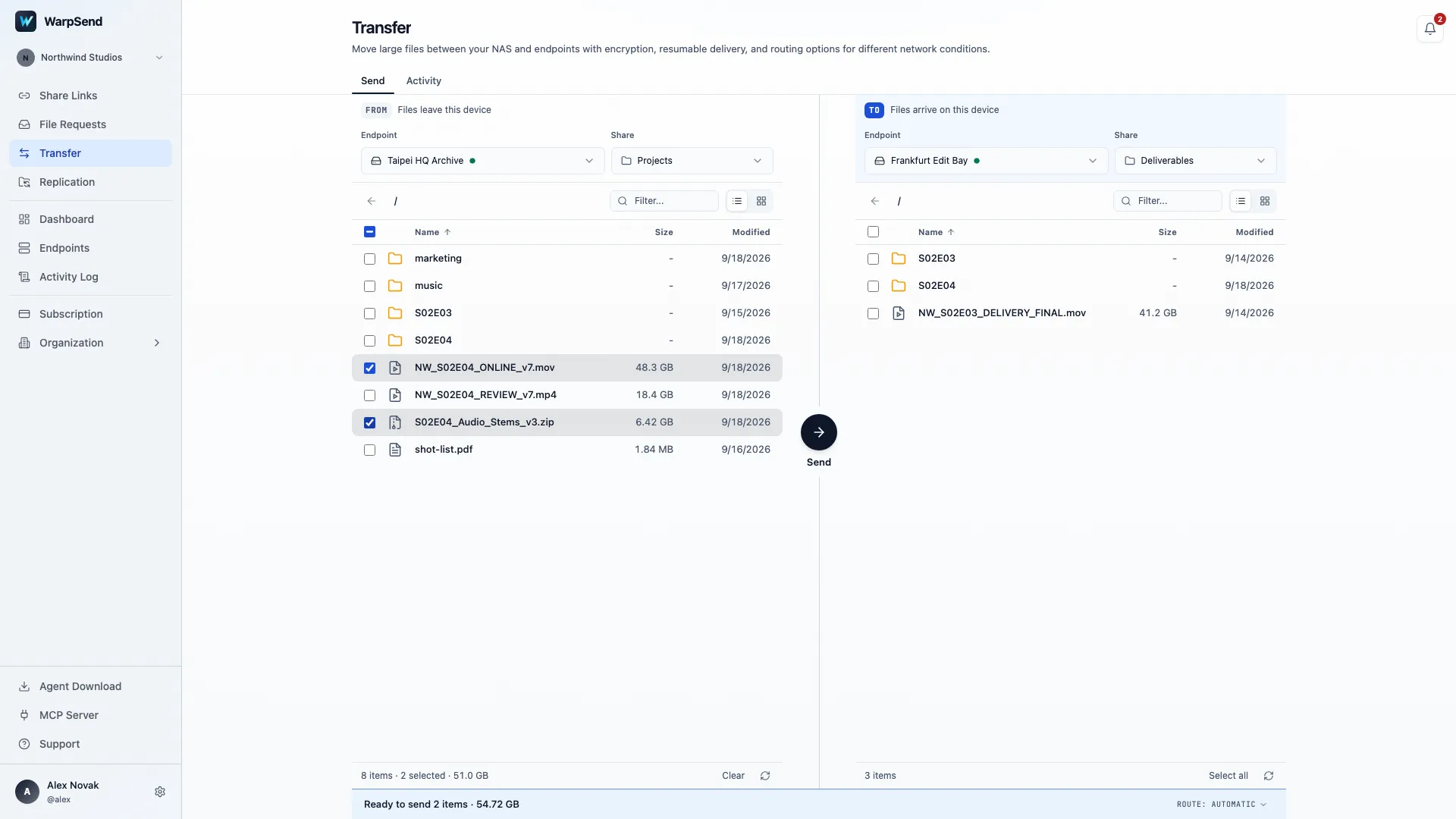
WarpSend Transfer view. English interface with Northwind Studios demo data; values are illustrative.
When cloud staging is the right choice
Choose cloud staging or a browser share link when:
- the editor will download later;
- the sender must shut down after upload;
- several recipients need the same package;
- the recipient cannot install an application; or
- access policy, expiry, and download tracking are part of delivery.
The trade-off is that the workflow becomes upload, store, then download. Model all three stages. Ask whether traffic is charged on upload, download, or both; whether repeated downloads multiply cost; how long the package remains stored; and what happens when a link expires mid-project.
WarpShare follows this staged model: upload once, create a browser link, and let the sender go offline after upload. The recipient does not need an account or WarpSend agent. Its cloud sharing and collection plan is billed by upload volume. Multiple recipients and repeat downloads add no fees, downloads have no plan speed cap, and no UDP subscription is required. Both the free and the paid plan carry a monthly upload allowance; review the WarpShare plans for a larger project.
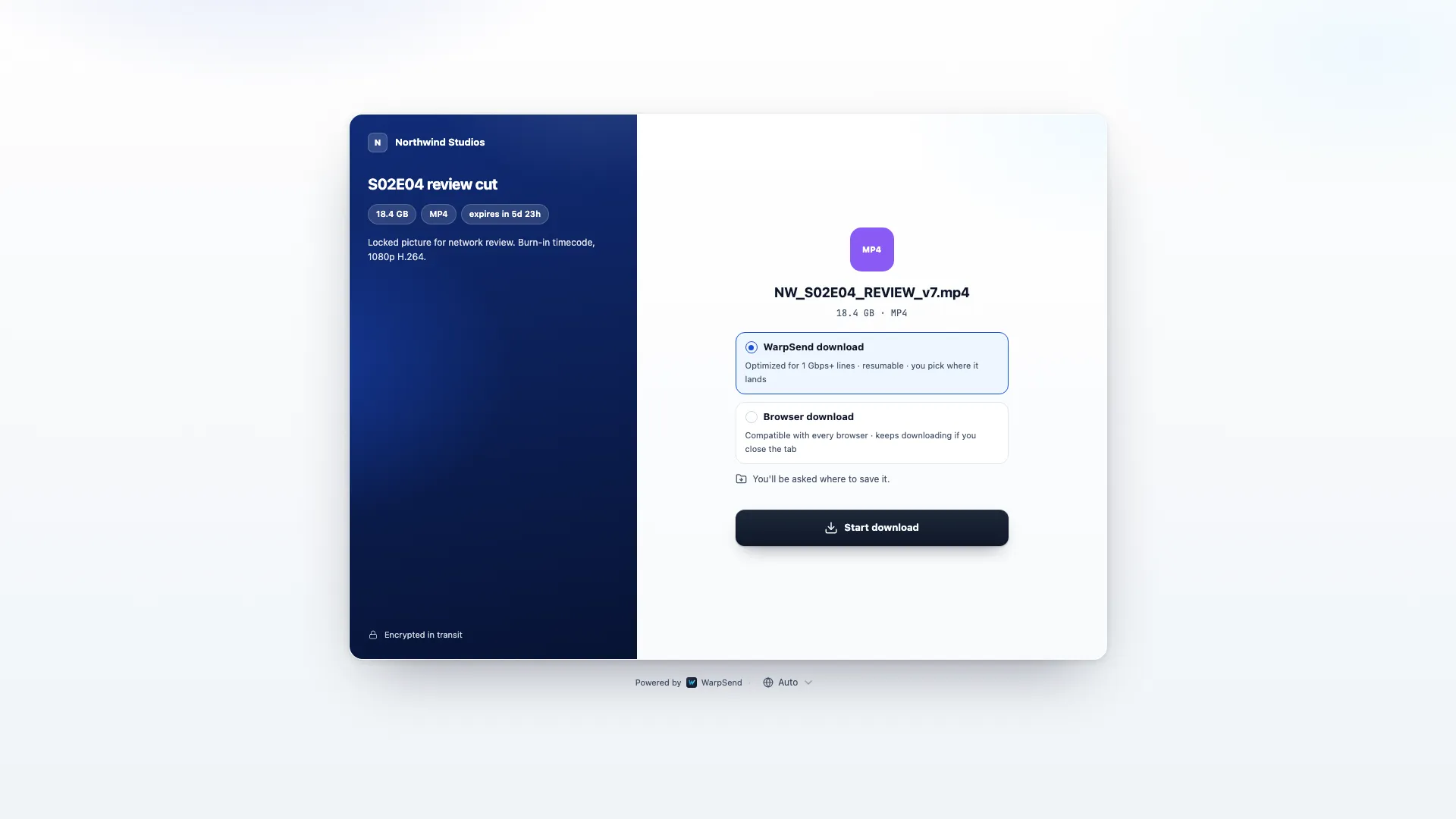
WarpSend recipient download page. English interface with Northwind Studios demo data; values are illustrative.
When a proxy-first workflow is better
If editorial needs to start today but the full-resolution package will take days, transfer proxies first.
A proxy workflow works when every proxy can be matched reliably to its source. Preserve:
- clip name;
- source timecode;
- reel or camera identifier;
- frame rate;
- audio channel layout; and
- a stable mapping from proxy path to original path.
Adobe describes proxies as lower-resolution copies used for editing and supports attaching them to high-resolution media for later reconnection. Its current guidance also warns that folder placement and matching criteria affect reattachment. See Adobe’s official guides to creating proxies and attaching proxies to full-resolution media.
Frame.io’s proxy workflow documentation makes the same operational point: clip names and timecode are what make an offline/online handoff practical. See the Frame.io proxy workflow guide.
Send one camera card and complete a relink test before generating or transferring the whole project. A proxy that edits smoothly but cannot conform is not a successful workflow.
When ongoing sync is justified
Use folder sync when new media or project assets will continue arriving after the first seed. Define the direction before enabling it:
- One-way ingest: field or studio to editor.
- One-way return: editor to finishing facility.
- Two-way collaboration: only when the application and team can tolerate conflicts.
Do not place camera originals, project files, cache, and exports into one undifferentiated bidirectional tree. Camera originals should normally be immutable. Project files need versioning and ownership. Cache is rebuildable. Deliverables have their own approval state.
WarpSync can automate one-way or two-way movement between supported endpoints, but it should not be called a versioned backup. Keep a separate protected copy and test what happens to deletions, renames, and simultaneous edits before production use.
Build a verifiable handoff, not just a progress bar
A robust media delivery has four artifacts:
- Source inventory: paths, file count, and total bytes.
- Checksum manifest: a hash for every source file.
- Transfer log: completed, retried, skipped, and failed items.
- Destination acceptance: manifest comparison and a representative open/relink test.
The ASC Media Hash List was designed for exactly this chain-of-custody problem. It records checksums and essential metadata across copies from initial offload through archive. Use ASC MHL or another documented checksum format; the key is that the destination can verify the same inventory.
Keep the source unchanged until the editor accepts the package. A storage scrub or a successful upload notification does not prove that every destination byte matches the source manifest.
Preserve camera-card structure
Do not flatten camera cards into one folder merely to simplify a transfer. NLEs, spanned clips, sidecar metadata, and relinking workflows may depend on the original structure.
If many tiny sidecar files make a transfer slow, create an archive from a verified working copy and treat it as transport packaging. Do not delete or replace the source tree. Count archive creation, temporary disk, extraction, and archive-level restart behavior in the total time.
For a recurring workflow, a transfer system that efficiently handles many files is usually better than manually creating a new archive every day.
Treat a changed delivery request as a scope change
Suppose a client originally agreed to receive a drive, then asks for 500GB in a specific cloud folder while the sender has 20Mbps upstream. The lower bound is more than 55 hours, and a practical estimate is closer to 69 hours before service-specific delays.
That request changes:
- workstation occupancy;
- delivery time;
- monitoring and retry work;
- internet usage;
- temporary storage; and
- responsibility for verifying the cloud package.
Document the estimate and ask the client to approve the new time or cost. If the named cloud destination is mandatory, use its current resumable desktop workflow and keep the agreed physical delivery available as a fallback. A product recommendation should not override the client’s destination requirement.
A production-ready transfer checklist
Before transfer
- Freeze the source or define a cut-off time.
- Preserve original card and folder structure.
- Record total bytes, file count, and largest file.
- Create a checksum manifest.
- Confirm source read and destination write speed.
- Measure sender upload and recipient download on the real path.
- Confirm free space for final data, temporary files, and archives.
- Agree on deadline, recipient, retention, and acceptance criteria.
During transfer
- Use wired networking where possible.
- Keep both endpoints awake when the method requires it.
- Record sustained throughput, not the initial burst.
- Monitor failed and retried items.
- Avoid reorganizing the source tree mid-transfer.
After transfer
- Compare file count and total bytes.
- Verify hashes against the source manifest.
- Open representative video, audio, still, and project files.
- Test proxy relink or full-resolution conform when applicable.
- Obtain recipient acceptance.
- Keep the original copy until the retention plan permits deletion.
The short decision rule
Start with the editor’s first working day. If the editor needs originals and both endpoints can stay online, test direct transfer. If they will download later, stage the package and agree on its availability period. When the originals miss the deadline, send verified proxies first or compare the complete time for a shipped drive.
For footage that arrives throughout the project, add a scoped one-way sync after the initial handoff. Keep camera originals protected and project-file ownership explicit.
Try WarpSend with one representative camera card and confirm that the editor can open and relink the received material.
For VFX handoffs involving image sequences or scenes with external dependencies, use the VFX studio transfer buying guide. It adds frame-range verification, stable publish folders and technical acceptance criteria to the delivery decision.
For the rest of a production’s file movement, from collecting crew uploads to delivering finished cuts, see file transfer for post-production teams.
Frequently asked questions
What is the best way to send raw footage to a remote video editor?
Use direct endpoint transfer when one editor needs the originals and both sides can stay online, cloud staging when the editor must download later or several people need the same package, proxies when editorial can begin without full-resolution media, and a shipped drive when the network cannot meet the deadline.
How long does it take to upload 500GB at 20 Mbps?
The theoretical minimum is about 55 hours and 33 minutes. At 80% sustained utilization, plan for about 69 hours and 27 minutes, before extra time for file enumeration, retries, service throttling, or verification.
Should I ZIP camera originals before sending them?
Do not restructure or discard the camera-original folder tree. An archive made from a verified working copy can be a useful transport test for thousands of small files, but include archive creation, temporary disk, extraction, and restart granularity in the plan.
How do I verify that remote footage arrived intact?
Freeze the source, record file count and total bytes, create a checksum manifest such as ASC MHL, transfer with logs and resume, verify the destination against the manifest, and keep the source media unchanged until the editor accepts the package.