6 Best IBM Aspera Alternatives in 2026 (Compared)
Compare 6 IBM Aspera alternatives by setup, multipoint transfer, Synology NAS support, speed claims, public pricing, and best-fit workflow.
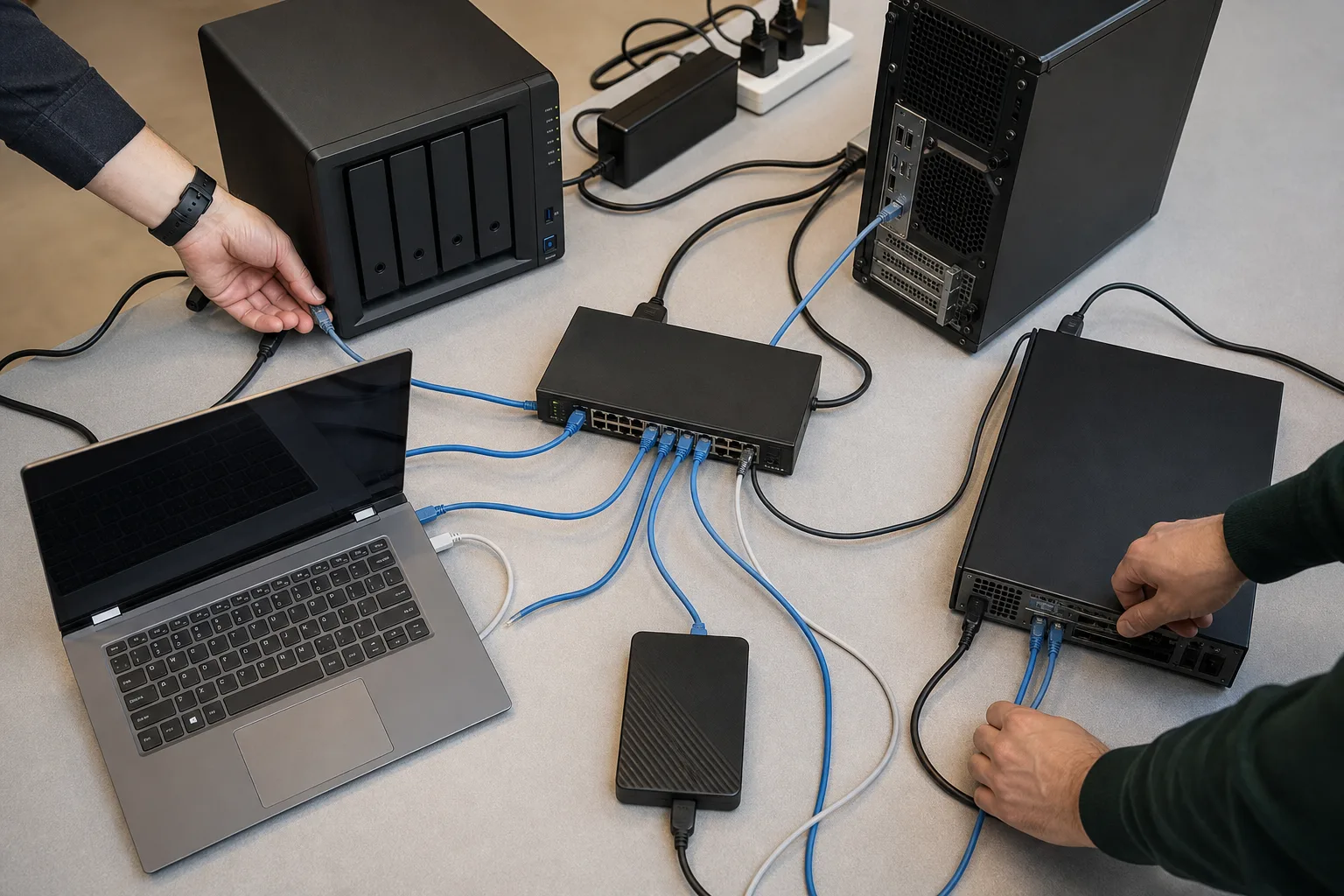
Replacing IBM Aspera starts with identifying the handoff that needs to change. A studio sending a finished master to a broadcaster may have to retain FASP. A team collecting files from freelancers may need a simpler browser experience. An administrator synchronizing NAS folders across offices needs a different operating model again.
This guide compares six IBM Aspera alternatives by those requirements: deployment, recipient setup, direct delivery, cloud staging, and recurring sync. WarpSend is included for managed transfers and Synology workflows; Signiant, MASV, Resilio, FileCatalyst, and Raysync serve overlapping but distinct needs.
WarpSend publishes this comparison. Vendor prices retain the verification dates stated below, and speed figures are attributed vendor claims rather than a shared independent benchmark. The Aspera client-transition guidance and MASV on-demand model were rechecked on September 24, 2026.
IBM Aspera and alternatives at a glance
| Product | Best fit | Deployment and topology | Workflow distinction | Public pricing signal |
|---|---|---|---|---|
| IBM Aspera | Required FASP delivery and established enterprise media workflows | Aspera for desktop, existing Connect deployments, administrator-deployed HTTP Gateway, or self-managed products | Deep FASP ecosystem and enterprise deployment control | PAYG from $1.07/GB, subscriptions from $22.10/month; varies by edition and commitment |
| WarpSend | Simple multi-endpoint send, share, and sync | Install agents; manage endpoints and jobs in one interface; direct route, or managed shuttle on a paid speed tier | Supported Synology endpoints, desktops, and servers in one operating model | Free tier; separate UDP endpoint speed tiers; WarpShare sharing and collection billed by upload volume; repeat downloads add no extra charge |
| Signiant Media Shuttle | Established media exchange portals | Signiant App for acceleration; SDCX Server for on-premises storage | Portal-centric media exchange | Professional from $13,000/year; Enterprise from $25,000/year |
| MASV | Occasional external delivery and automated storage ingest | Browser or desktop app through MASV’s cloud network | Cloud-first delivery and upload portals | 15 GB free/month, then $0.25/GB; subscriptions from $58/month |
| Resilio Active Everywhere | Continuous many-site distribution and full-mesh sync | Agents plus a Management Console; peer-to-peer multipoint network | Sophisticated replication and full-mesh topologies | Quote-based |
| FileCatalyst Direct | Self-managed accelerated point-to-point transfer | FileCatalyst Server plus client, portal, automation, and monitoring options | Modular, IT-managed client/server stack | Quote-based |
| Raysync | Publicly priced cloud or on-premises UDP acceleration | Cloud, SMB on-premises, Enterprise, and centralized Hub products | Broad feature set across several editions | Cloud $99/month; SMB $1,599/year; Hub $6,000/year |
Prices are USD list prices or starting prices shown by the vendors on the verification date. They are not equivalent bundles: included traffic, storage, users, portals, endpoints, support, egress, and enterprise features differ.
Why teams look beyond IBM Aspera
IBM Aspera supports a broad range of enterprise transfer workflows. Its proprietary FASP transport is designed to keep available bandwidth busy across long-distance links affected by latency and packet loss. IBM now offers SaaS, self-managed, sync, automation, streaming, gateway, and enterprise products—not one monolithic Aspera package. The current IBM Aspera overview describes hybrid and multi-cloud transfer, million-file directory synchronization, lightweight endpoints, APIs, and on-premises deployment.
IBM also publishes large-scale transfer results. Its data-migration page reports 100 TB per day and 400% faster transfer than TCP when migrating millions of files in a vendor test based on a 10 Gbps US-to-Europe link with 0.0025% packet loss. Those figures establish what Aspera is built for; they do not predict performance on every route. See IBM’s data-transfer methodology and footnotes.
An alternative is worth examining when the deployment or delivery requirements change. Common reasons include:
- the team needs a smaller operational footprint;
- external recipients should not need an enterprise transfer workflow;
- several offices, servers, or NAS devices must be managed from one place;
- the buyer prefers transparent self-serve pricing;
- a cloud-staged, direct endpoint, or mesh-sync model better fits the work;
- the organization does not need the full Aspera product ecosystem.
Aspera’s current setup and pricing baseline
IBM is transitioning from Connect to Aspera for desktop, which uses a native application without browser extensions. Its March 2026 migration notice gives Connect support end dates of December 31, 2026 for Aspera on Cloud and March 31, 2027 for other Aspera web applications. Include the client and SDK migration in any evaluation of an existing deployment.
Connect remains relevant to installed environments. An administrator-deployed HTTP Gateway provides another browser-transfer path, with its own infrastructure requirements. Confirm which client or gateway the receiving organization supports.
IBM documents TCP/UDP 33001 for Connect clients and transfer nodes, plus TCP 443 for web and API traffic. Include these requirements in the evaluation because client and gateway paths involve different endpoint and infrastructure work. See What is Aspera Connect? and IBM’s firewall requirements.
IBM’s public plans also show why a single “Aspera costs X” claim is misleading. The product page lists multiple usage and self-managed models, while the Aspera on Cloud documentation separates Pay As You Go, Essentials, Standard Plus, and Premium. Minimum transfer commitments are 0, 1, 6, and 30 TB, respectively; storage, egress, workspaces, gateways, SSO, and workflows vary by edition. IBM’s public pricing page lists Pay As You Go from $1.07 per GB of transfer per month and Essentials from $22.10 per month (checked 2026-09-13), so the starting price depends on the selected edition and commitment. Check the live Aspera pricing section and feature tiers before building a cost model.
The free trial is 14 days or 50 GB, whichever comes first. IBM notes that external package sending is not enabled in the standard trial, so include that workflow explicitly when arranging an evaluation. IBM Aspera on Cloud trial terms
IBM Aspera plans at a glance
The public editions give an initial basis for estimating a deployment. These figures were checked on September 13, 2026:
| Aspera on Cloud edition | Public price (checked 2026-09-13) | Minimum commitment | What moves with the tier |
|---|---|---|---|
| Pay As You Go | from $1.07 per GB of transfer per month | none | Usage-priced transfer, egress included, 1 workspace, 1 transfer server |
| Essentials | from $22.10 per month | 1 TB per year | Entry commitment; 1 workspace, unlimited transfer servers |
| Standard Plus | from $660 per month | 6 TB per year | 100 workspaces, 5 workflows, more storage and egress |
| Premium | quoted | 30 TB (per IBM’s edition docs) | Highest tier with SSO and workflow options |
| Lite (self-managed) | from $11,916 per license per year | unlimited volume | Entry on-premise deployment |
IBM’s pricing page now leads with Pay As You Go at $1.07 per GB, offers a 14-day or 50 GB trial that excludes external package sending, and lists separate self-managed products (High-Speed Transfer Server, Endpoint, Faspex, Shares, Console) that are quoted by license rather than by TB. Treat every one of these numbers as a starting point for the 12-month model below, not as the price. Sources: IBM Aspera product overview, IBM Aspera on Cloud trial terms.
What a 12-month Aspera cost model includes
Build a yearly estimate with seven components: subscription or license; included transfer volume and overage; cloud egress; storage; transfer servers or HTTP Gateway infrastructure; implementation and support; internal and recipient support time. Model expected and high-volume scenarios, counting repeat delivery according to the applicable plan’s metering rules.
Separate egress in the model so you can apply the selected edition’s inclusions and overage terms. IBM explains that when Aspera on Cloud downloads from cloud storage, the cloud provider charges IBM and that cost can be passed through to the subscription, with prepaid and pay-as-you-go plans handling allowances and overages differently. Price each data path separately — on-premises to cloud, cloud to user, cloud to cloud, person-to-person packages, repeated recipient downloads — and apply the same discipline to every vendor on this page: confirm which party pays any cloud-provider egress and whether the service includes it in the quoted fee. IBM: Manage egress in your subscription
Recipient support also belongs in the estimate, particularly when external users rely on your team for installation or connectivity help. The Connect path means firewall review on networks you do not control; the Gateway path spares recipients the install but adds a server IBM recommends running separately, with sizing, placement, and patching your team owns. Include allowlisting, client migration, updates, recipient assistance, and re-delivery in the operating estimate. IBM: Installing HTTP Gateway
1. WarpSend: best for simple multi-endpoint transfer and Synology NAS
WarpSend provides a managed interface for supported endpoint transfers, browser delivery, and folder sync. Install agents where files live, then create the handoff or recurring job from that interface.
The key difference: one interface, multiple endpoints
Install the WarpSend agent on supported Windows, macOS, Linux, or Synology NAS endpoints. From one interface, the team can see endpoints, create transfers, configure one-way or two-way folder sync, and monitor job history. That makes the same operational model work for:
- office-to-office transfers;
- workstation-to-NAS delivery;
- Synology-to-Synology folder sync;
- a central NAS distributing assets to several locations;
- repeated project handoffs between remote teams.
For a team with these recurring jobs, one endpoint inventory and transfer history can reduce the number of separate systems operators need to maintain.
Three workflows without three products
- WarpDirect moves files between online endpoints. WarpSend attempts a direct libp2p/QUIC route and uses a managed WarpFabric Shuttle route when direct connectivity is not practical; Shuttle fallback on transfers requires a paid speed tier.
- WarpShare uploads once and produces a browser link. The recipient does not need a WarpSend account or agent, and the sender can go offline after upload.
- WarpSync automates one-way or two-way movement between supported desktop, server, and NAS endpoints.
Users do not configure inbound port forwarding. Endpoint transfers use application-layer encryption, resumable chunks, and completed-file verification. WarpShare encryption depends on link settings: protected links encrypt before upload; passwordless links use TLS and service-managed storage and access controls. Review the WarpSend feature overview and direct WarpSend vs IBM Aspera comparison for the current product definition. Production and post teams can see the same engine mapped to a footage pipeline — dailies, remote editing, client delivery — in the video production solutions overview.
Synology NAS support is a first-class workflow
A supported Synology NAS can run the WarpSend agent and participate like another endpoint. That is useful when the files already live on a NAS and copying them through a workstation would add a bottleneck or an unnecessary manual step. The NAS & IT solutions overview maps this workflow end to end — install, endpoints, sync job, verified copy.
For a Synology-only environment, include Synology Presto File Server in the proof of concept. Presto is Synology’s SITA-powered accelerated transfer system for computers and multiple Synology NAS servers, with scheduled distribution and collection workflows. It requires Presto components, a bandwidth license on each participating NAS for server-to-server transfer, and TCP/UDP ports 3360 and 3361. WarpSend’s differentiation is simpler agent deployment, one interface across supported Synology, desktop, and server endpoints, and no user-configured inbound port forwarding. See the dedicated Presto File Server vs WarpSend comparison.
“Supports Synology” should still be tested, not assumed. Check the NAS model and CPU architecture, DSM compatibility, shared-folder permissions, storage read/write speed, file count, and available WAN bandwidth. If the real requirement is snapshot recovery or configuration backup rather than ordinary file movement, compare Synology’s native tools first in our Synology NAS replication guide.
WarpSend pricing and published benchmark
The WarpSend pricing page lists two independent subscriptions:
- UDP endpoint transfers: separate plans set speed and endpoint capacity. Transfer volume is not metered. See current pricing for the available tiers and terms.
- WarpShare sharing and collection: billed by upload volume, with a monthly upload allowance on the free plan and a larger one on the paid plan; uploads beyond it are billed per GB. See the pricing page for current allowances and rates. Browser downloads have no plan speed cap and require no UDP speed subscription.
- Downloads: multiple recipients and repeat WarpShare downloads add no extra charge or egress fee. Separate UDP endpoint transfers have no traffic charge.
Compare the current releases using the same files, route, storage, and security settings. Record transfer-phase throughput separately from the time until the recipient has a verified copy. The WarpSend vs FTP benchmark method explains how to run that comparison; an FTP result does not establish performance against SFTP or Aspera.
Choose WarpSend when
- straightforward agent deployment matters more than a deep enterprise transfer estate;
- one team must manage several offices, servers, or NAS endpoints in one interface;
- Synology NAS is part of the normal workflow;
- direct delivery, browser share links, and folder sync should coexist;
- public entry pricing and a self-serve trial matter.
Do not choose WarpSend when
- a broadcaster, studio, or partner contract explicitly requires FASP ingest;
- replacing mature Aspera Console, Faspex, Watchfolder, Sync, or Orchestrator automation would create more risk than value;
- a strict air-gapped or fully self-managed deployment is mandatory;
- your procurement decision depends on IBM’s mature enterprise ecosystem and support structure.
2. Signiant Media Shuttle: best for established media portals
Signiant is the closest established Aspera competitor for media and entertainment workflows. Media Shuttle provides browser-based Send, Share, and Submit portals while allowing customers to use on-premises or cloud storage.
Acceleration requires the Signiant App. For on-premises file-system or S3-compatible storage, the architecture also uses an SDCX Server. Signiant documents a more limited non-app path, but accelerated transfers, full resume behavior, background continuation, and some content-protection features depend on the app. See the Signiant App overview and app-less feature table.
Signiant says Media Shuttle can move files up to 100× faster than standard Internet transfers and imposes no file-size limit. Its public packaging page lists:
- Small Business: custom quote;
- Professional: starting at $13,000/year, including 25 TB of cloud payload;
- Enterprise: starting at $25,000/year, including 100 TB of cloud payload plus SSO, APIs, SDK access, and automatic delivery.
Those annual plans can be attractive when predictable pricing, branded portals, media integrations, implementation, and 24/7 support are more important than a low self-serve entry point. Verify current inclusions on Signiant’s official pricing page and its Media Shuttle data sheet.
Choose Signiant for a mature, portal-centric media exchange with controlled storage and industry integrations. Look elsewhere if the priority is inexpensive self-serve onboarding or continuous many-to-many NAS synchronization.
3. MASV: best for occasional cloud delivery
MASV removes transfer-server deployment by routing data through its managed cloud network. Senders and recipients can use a browser, while the desktop app adds automation and the highest-speed path. Portals are particularly useful for collecting large packages from freelancers, production crews, or clients.
MASV’s pricing page lists the following on-demand and subscription terms, checked September 24, 2026:
- 15 GB free each month;
- $0.25/GB after the free allowance on the on-demand plan;
- annual subscriptions starting at $58/month for 250 GB, with a 12-month commitment;
- five days of storage included, then $0.07/GB/month.
MASV charges when data exits its platform, so repeated downloads and one-to-many delivery can multiply usage. The managed route removes the need to operate a transfer server; frequent delivery should be compared with the available committed-volume plans. See MASV pricing.
MASV says its desktop app can use 90%+ of available bandwidth on 10 Gbps lines, and it reports testing individual files up to 15 TB and packages containing millions of files. These are vendor-published capability claims, not a common benchmark against the other tools here. MASV speed and payload documentation
Choose MASV for fast external delivery, upload portals, and simple project-based billing. Look elsewhere when recurring multi-site sync, direct NAS-to-NAS movement, or avoiding per-download charges is the primary requirement.
Deployment and workflow comparison
Narrow the list by how the system will be deployed and operated. The table below describes each product’s primary documented path. “Available” can mean a separate product, gateway, server, or plan—not necessarily the default experience.
Why WarpSend stands out for Synology workflows
Check how each product reaches NAS files. A mounted share, a local agent, and a dedicated server package place different requirements on the network and administrator. WarpSend uses an agent on each supported Synology NAS, desktop, or server so those endpoints can be managed together. Test that model with the permissions and job types the team needs.
| Product | Accelerated data path | What must be installed | Browser-only external delivery | Central multi-endpoint control | Sync topology | Operational consideration |
|---|---|---|---|---|---|---|
| IBM Aspera | Proprietary FASP | Aspera for desktop, or Connect in existing deployments; server or HTTP Gateway components depend on architecture | Available through configured web workflows or separately deployed HTTP Gateway | Yes, through Aspera on Cloud administration and enterprise products | Available through Aspera Sync products | Multiple products and infrastructure choices increase implementation scope |
| WarpSend | Direct libp2p/QUIC route when possible; managed WarpFabric Shuttle route otherwise, on a paid speed tier | Lightweight agent on direct-transfer and sync endpoints, including supported Synology NAS devices | Yes. WarpShare recipients use a browser with no account or agent | Yes. Endpoints, transfers, sync jobs, and history use one interface | One-way and two-way sync across supported endpoints | One simple operating model for supported Synology NAS, desktop, and server endpoints |
| Signiant Media Shuttle | Signiant’s proprietary acceleration through the Signiant App | Signiant App for acceleration; SDCX Server for on-premises storage | Available without the app, but without acceleration and with reduced resume/background features | Yes, for portals, users, storage, and transfers | Automated delivery is available; full-mesh sync is not the primary Media Shuttle workflow | Portal, app, and on-premises storage components must be scoped together |
| MASV | Managed cloud network with adaptive chunking | Browser works; desktop app adds the highest-speed, automation, and background path | Yes | Yes, for teams, portals, transfers, and usage; not a sync mesh | Watch-folder and storage automation, not continuous many-to-many sync | Cloud routing and per-download usage should be modeled for recurring distribution |
| Resilio Active Everywhere | Peer-to-peer chunk distribution and WAN optimization | Agent on every participating endpoint plus a Management Console | No browser-recipient workflow is positioned as the primary path | Yes. Designed for centrally managed multipoint-to-multipoint jobs | One-to-one, one-to-many, many-to-one, and many-to-many full mesh | Powerful topology, with more planning for console, jobs, capacity, and compatible agent platforms |
| FileCatalyst Direct | Patented UDP-based client/server transfer with TCP fallback | FileCatalyst Server plus the selected client, TransferAgent, or automation component | Available through Link or Workflow; the accelerated implementation depends on the configured client path | Available through FileCatalyst Central | HotFolder automation and one-to-many distribution; not positioned as a full-mesh sync platform | Modular components provide control but add deployment decisions |
| Raysync | Proprietary UDP-based transfer | Client, node, server, or Hub components depend on the edition | Available through configured web access | Yes, through Enterprise or Raysync Hub | Automatic one-way and two-way sync | Exact architecture and inclusions depend on the selected edition |
This matrix is intentionally descriptive instead of using ambiguous checkmarks. Validate edition, operating-system support, and topology during the proof of concept because a feature offered somewhere in a product family may not be included in the plan or path you test.
4. Resilio Active Everywhere: best for large multipoint sync estates
Resilio focuses on continuous distribution, consolidation, bidirectional sync, and many-to-many full-mesh topologies. Its peer-to-peer architecture lets an endpoint that has already received a chunk seed that chunk to other peers.
The architecture uses lightweight Resilio Agents wherever files live and a Management Console that assigns and monitors jobs. Resilio’s current documentation explicitly describes the agents as a “multipoint-to-multipoint network.” Its enterprise-scale flexibility also makes platform compatibility, job design, capacity, and console operations part of the rollout. Resilio architecture documentation and system requirements
Resilio says Active Everywhere can handle hundreds of millions of files, run up to 10× faster than conventional client-server replication, and support hardware configurations targeting 10 Gbps. Its system guide also publishes useful sizing examples: approximately 12 GB of Agent memory around 50 million files and 48 GB around 200 million files. Pricing is quote-based.
Choose Resilio when the primary problem is enterprise-scale file replication, caching, distribution, or full-mesh synchronization. Choose a simpler product when the workflow is mostly ad hoc delivery, browser links, or a small set of NAS and desktop endpoints.
5. FileCatalyst Direct: best for self-managed UDP transfer
Fortra’s FileCatalyst Direct is a mature server-and-client suite for accelerated point-to-point transfer. Its patented UDP-based transport is designed for high-latency and packet-loss conditions, with TCP fallback, checkpoint restart, integrity checks, automation, and rate control.
FileCatalyst publishes these capability figures:
- transfer speeds up to 10 Gbps;
- “hundreds of times faster than FTP” under suitable conditions;
- support for file sets containing millions of files and terabytes of data;
- integrations with more than 50 video-production solutions.
The tradeoff is architecture. A deployment starts with FileCatalyst Server, then adds the appropriate desktop, TransferAgent, HotFolder, Workflow, Central, SDK, CLI, load-balancing, and storage components. That flexibility is valuable for an IT-led implementation, but it is not the same experience as installing a managed endpoint agent and signing in.
Review the official FileCatalyst Direct data sheet. Public pricing is not posted; buyers request a quote.
Choose FileCatalyst for self-managed UDP acceleration, growing-file workflows, media integrations, and detailed client/server control. Look elsewhere if setup simplicity and transparent entry pricing dominate the decision.
6. Raysync: best for lower-entry cloud or on-premises licensing
Raysync spans SaaS, on-premises SMB, and enterprise deployments. Its proprietary UDP-based protocol, peer-to-peer transfer, file sharing, automatic sync, API, and centralized Hub make it a broad alternative for teams that want more deployment control than a cloud-only service.
The Raysync pricing page listed these options at the August 3, 2026 check:
- Cloud: $99/month for 1 Gbps UDP bandwidth, 2 TB transfer/download traffic, 1 TB storage, and 10 users;
- SMB: $1,599/year for on-premises storage, 1 Gbps UDP bandwidth, unlimited traffic, and 10 users;
- Hub: $6,000/year for six online nodes, then $600 per additional online node per year;
- Enterprise: quote-based with bandwidth licensed by tier.
Raysync says its Enterprise product reaches up to 10 Gbps and 100× FTP speed, with no file-size limit. Those are vendor claims and require suitable storage, compute, bandwidth, route conditions, and configuration. Confirm details on the official Raysync pricing page and Enterprise overview.
Choose Raysync when a lower public entry price, on-premises storage, UDP acceleration, and a broad feature set are the leading criteria. Run a careful proof of concept for usability, support, compliance scope, and real-route performance before treating headline throughput as delivered performance.
Vendor speed claims: read this table correctly
| Product | Number the vendor publishes | What it does—and does not—mean |
|---|---|---|
| IBM Aspera | 100 TB/day and 400% faster than TCP in a documented 10 Gbps US-Europe migration scenario | An IBM workload result with stated conditions, not every Aspera transfer |
| WarpSend | Evaluate the current release on your workload | Match files, route, settings, and timing boundaries; verify the received contents |
| Signiant | Up to 100× standard Internet transfers | A product capability claim without a shared test against this list |
| MASV | 90%+ bandwidth use on 10 Gbps lines; files tested to 15 TB | Desktop-app and payload claims, not a guaranteed route result |
| Resilio | Up to 10× conventional client-server; hardware guidance up to 10 Gbps | Replication/platform claims with workload-dependent sizing |
| FileCatalyst | Up to 10 Gbps; hundreds of times faster than FTP | A vendor ceiling for suitable FileCatalyst deployments |
| Raysync | Up to 10 Gbps; 100× FTP | A vendor ceiling for suitable Enterprise deployments |
The numbers are not comparable because the vendors use different baselines, hardware, routes, file sets, concurrency, and measurement methods. A claim can be true in its test and still be irrelevant to your workload.
How to choose the right Aspera alternative
1. Name the topology before the product
“Send a 500 GB master to one partner,” “collect footage from 30 freelancers,” and “keep five NAS devices synchronized” are different systems problems. Decide whether you need one-to-one, one-to-many, many-to-one, two-way, or full-mesh movement.
2. Separate direct transfer, cloud staging, and sync
- Direct endpoint transfer avoids storing a complete cloud copy but normally needs both endpoints online.
- Cloud-staged delivery lets the sender go offline and makes browser sharing easy, but storage and, depending on the service and plan, repeated downloads affect cost.
- Continuous sync automates repeated changes but introduces conflict, deletion, permission, and topology decisions.
3. Count every installation and infrastructure component
Ask what runs on the sender, recipient, server, NAS, gateway, and administrator workstation. Then test upgrades, firewall review, user onboarding, and the fallback path—not only the first successful transfer.
4. Model twelve months, not the first invoice
Include licenses or subscriptions, committed volume, overage, egress, storage, endpoints, gateways, servers, implementation, support, and operator time. The seven-line Aspera cost model above applies to every vendor here — only the line names change.
5. Run the same proof of concept for every vendor
Use the real source, destination, storage, and security settings. Test:
- one representative large file;
- 16–64 medium files;
- thousands of small files;
- both directions;
- realistic latency, jitter, and 1–3% controlled packet loss;
- encryption and integrity verification enabled;
- interruption at 50%, followed by resume;
- one-to-many or sync topology if that is the actual requirement;
- recipient completion without help from the project team;
- total wall-clock time and operator time—not only peak Mbps.
Final recommendation
Choose IBM Aspera when FASP is required, the existing automation estate is valuable, or maximum enterprise deployment flexibility outweighs setup and procurement overhead.
Choose WarpSend when the priority is a simpler managed alternative: install agents, see multiple endpoints in one interface, move files directly or by browser link, automate one-way or two-way sync, and include Synology NAS without turning the rollout into a transfer-infrastructure project.
Choose Signiant for mature media portals, MASV for occasional cloud delivery, Resilio for sophisticated multipoint replication, FileCatalyst for self-managed UDP acceleration, and Raysync for publicly priced cloud or on-premises options.
After shortlisting products by delivery and administration requirements, test them on the same route and representative file set.
If the simple multi-endpoint and Synology workflow matches your shortlist, create a free WarpSend account and test it on the same route and file set you will use in production.
Research notes and sources
Product capabilities and prices were checked against vendor-controlled sources on August 3, 2026. Third-party prices can change and, unless stated otherwise, exclude negotiated discounts, infrastructure, and services. “Up to” performance figures are supplier claims; WarpSend’s own result is identified as a WarpSend-run benchmark.
- IBM Aspera product overview and pricing
- IBM Aspera on Cloud feature and usage tiers
- Signiant Media Shuttle pricing
- MASV pricing and speed documentation
- Resilio Active Everywhere documentation
- FileCatalyst Direct data sheet
- Raysync pricing
- Synology Presto File Server documentation and license pricing
Frequently asked questions
What is the best IBM Aspera alternative?
It depends on the workflow. WarpSend is a strong fit for teams that want simple agent deployment, one interface for multiple endpoints, browser share links, and Synology NAS support. Signiant suits established media portals, MASV suits occasional cloud delivery, Resilio suits large multipoint sync estates, FileCatalyst suits self-managed UDP transfer, and Raysync suits buyers comparing lower-cost cloud and on-premises licenses.
Is WarpSend a drop-in replacement for IBM Aspera?
No. WarpSend does not implement FASP and is not a drop-in replacement for an Aspera ingest requirement or an established Aspera automation estate. It covers overlapping direct-transfer, share-link, and cross-site sync workflows with a simpler managed architecture.
Does WarpSend support Synology NAS?
Yes. A supported Synology NAS can run the WarpSend agent and participate as an endpoint in direct-transfer and one-way or two-way WarpSync jobs. Test model compatibility, permissions, storage throughput, and the actual WAN route before production rollout.
Does IBM Aspera require a desktop app?
Accelerated desktop workflows use an installed client. IBM is transitioning from Connect to Aspera for desktop, which does not require a browser extension. Administrator-deployed HTTP Gateway provides a separate browser-transfer path; check the recipient’s environment and deployment requirements.
How much does IBM Aspera cost?
There is no single Aspera price. IBM’s public pricing page (checked 2026-09-13) lists Aspera on Cloud Pay As You Go from $1.07 per GB of transfer per month, Essentials from $22.10 per month with 1 TB per year, Standard Plus from $660 per month with 6 TB per year, and a self-managed Lite license from $11,916 per year; the Premium edition is quoted. Account for the edition’s included egress and storage, then any overage, gateway infrastructure, implementation, and support. Enterprise contracts may be negotiated. Build a 12-month model on your own volume rather than trusting a universal number.
Which Aspera alternative has the lowest public starting price?
Among the products compared here, WarpSend has a free tier, a paid WarpShare sharing and collection plan billed by upload volume, and paid UDP endpoint speed tiers; see the WarpSend pricing page for the current rates. MASV lists 15 GB free each month followed by $0.25 per GB, while Raysync lists cloud service at $99 per month and on-premises SMB service at $1,599 per year. Signiant lists higher annual starting prices, while Resilio and FileCatalyst direct buyers to sales. Prices and inclusions can change, so verify the linked vendor pages.
Which Aspera alternative is fastest?
There is no defensible universal winner. Vendor speed claims use different routes, hardware, payloads, and baselines. Test a large file, a medium-file batch, thousands of small files, packet loss, both directions, encryption, and interrupted-transfer resume on your actual route.