Synology Presto File Server Alternative: Presto vs WarpSend
Compare Synology Presto File Server and WarpSend for NAS-to-NAS transfer, port forwarding, endpoint support, automation, licensing, and setup.

A team distributing folders from a central Synology NAS to branch offices needs more than a fast first copy. Administrators also need to define who connects, how jobs are scheduled, and which systems receive each folder.
If you already run Drive ShareSync, first read whether a Presto license changes that existing job. Licensing Presto and choosing a different transfer workflow are separate decisions.
Synology Presto File Server supports NAS-to-NAS distribution and collection through Site Express. WarpSend offers direct transfers and folder sync across supported NAS, desktop, and server endpoints. This comparison focuses on the setup, network requirements, and operating model behind those choices.
WarpSend publishes this article. The Synology details and public prices below were checked on August 3, 2026; confirm the relevant model, DSM release, and license terms before purchase.
Presto File Server vs WarpSend at a glance
| Dimension | Synology Presto File Server | WarpSend |
|---|---|---|
| Primary job | Accelerated upload, download, multi-server distribution, and collection | Direct endpoint transfer, browser share links, and one-way or two-way file sync |
| NAS-to-NAS | Yes, between licensed Synology NAS servers through Site Express | Yes, between supported Synology NAS endpoints |
| Endpoint scope | Synology NAS servers plus Presto desktop clients | Supported Synology NAS, Windows, macOS, and Linux endpoints |
| Administration | Presto File Server, Client or Automator, Site Express, policies, and logs | Endpoints, transfers, sync jobs, and history in one interface |
| Network setup | TCP/UDP 3360 and 3361; corresponding port forwarding may be required | Users do not configure inbound port forwarding; WarpSend attempts a direct route and can use a managed shuttle on a paid speed tier |
| Automation model | Scheduled Site Express and Presto Automator upload/download tasks; CLI available | Centrally configured one-way and two-way WarpSync jobs |
| External recipient path | Official workflow centers on the Presto desktop client | WarpShare recipients can download through a browser without an account or agent |
| Licensing | Per-NAS, perpetual bandwidth licenses; each server in Site Express must be activated | Free tier; separate UDP endpoint speed tiers; WarpShare sharing and collection billed by upload volume; repeat downloads add no extra charge |
| Best fit | Synology-native estate wanting fixed-bandwidth accelerated transfer | Teams prioritizing simple deployment and one operating model across several endpoint types |
The products overlap in moving large files over a WAN, but their operating models are materially different. Presto is not Snapshot Replication or Hyper Backup, and WarpSend is not a Synology snapshot or DSM configuration-backup product.
What Synology Presto File Server actually does
Presto File Server is Synology’s accelerated file-transfer package. It uses Synology Internet Transfer Accelerator (SITA) and is designed for rapid, secure transfer:
- between a computer and a Synology NAS using Presto Client;
- between local directories and Presto servers using scheduled Presto Automator tasks; and
- between multiple Synology NAS servers using Site Express.
Presto also centralizes transfer policies, bandwidth controls, encryption and compression settings, activity logs, statistics, and scheduled reports. These are useful capabilities for an IT-managed Synology estate.
Primary source: Synology Presto File Server documentation.
Yes, Presto supports NAS-to-NAS transfer
For server-to-server transfers, Synology says Presto File Server should be installed on each participating NAS and the license must be activated on each server. Site Express then creates two types of tasks:
- Distributing: the local server sends data from a selected directory to other servers.
- Collecting: the local server receives data from directories on other servers.
Administrators can arrange servers at the same level for simultaneous transfer or place servers in a multi-level topology. In a distributing workflow, an upper-level server can begin forwarding files to the next server before it has received the complete file set.
For this topology, every participating Synology server needs the package, an activated license, connectivity, credentials, paths, and task topology.
The network setup difference
Presto File Server
Synology documents TCP and UDP ports 3360 and 3361 as Presto’s defaults. When port forwarding is needed, the administrator maps an external port N to 3360 and the following port N + 1 to 3361. For example, mapping external port 1001 to 3360 also requires external port 1002 to map to 3361.
Include firewall ownership, public address or DDNS planning, certificates, port mapping, and the fallback behavior of the real network.
Primary sources: Presto File Server network requirements and Synology service port reference.
WarpSend
WarpSend users do not configure inbound port forwarding. Install the agent on each supported endpoint and sign in; the endpoint appears in the same interface used to create and monitor transfer or sync jobs. WarpSend attempts a direct libp2p/QUIC route when practical and can use a managed WarpFabric Shuttle route when a direct path is not available; Shuttle fallback on transfers requires a paid speed tier.
This matters when endpoints sit in branch offices, home studios, customer networks, or other environments where the transfer operator does not control the router.
Installation and administration comparison
A typical Presto deployment
- Verify that every Synology NAS model and DSM version supports Presto File Server.
- Install Presto File Server from Package Center on each participating NAS.
- Activate a trial or bandwidth license on each NAS used for server-to-server transfer.
- Open TCP/UDP 3360 and 3361 and configure routing or port forwarding where required.
- Install Presto Client or Presto Automator on participating computers.
- Add servers, credentials, directories, topology, schedule, filters, and transfer policies.
- Monitor Site Express tasks, logs, bandwidth, and license capacity.
A typical WarpSend deployment
- Install the WarpSend agent on each supported Synology NAS, Windows, macOS, or Linux endpoint.
- Sign in so the endpoint appears in the central interface.
- Select the source and destination endpoints.
- Create a direct transfer or a one-way or two-way WarpSync job.
- Monitor endpoints, transfers, sync jobs, and history from the same interface.
For an external recipient who should not install an agent, use WarpShare to create a browser download link instead of configuring an endpoint transfer.
If your sites mix Synology NAS with Mac, Windows or Linux machines, the multi-site Synology NAS file transfer page shows how those endpoints are managed from one interface.
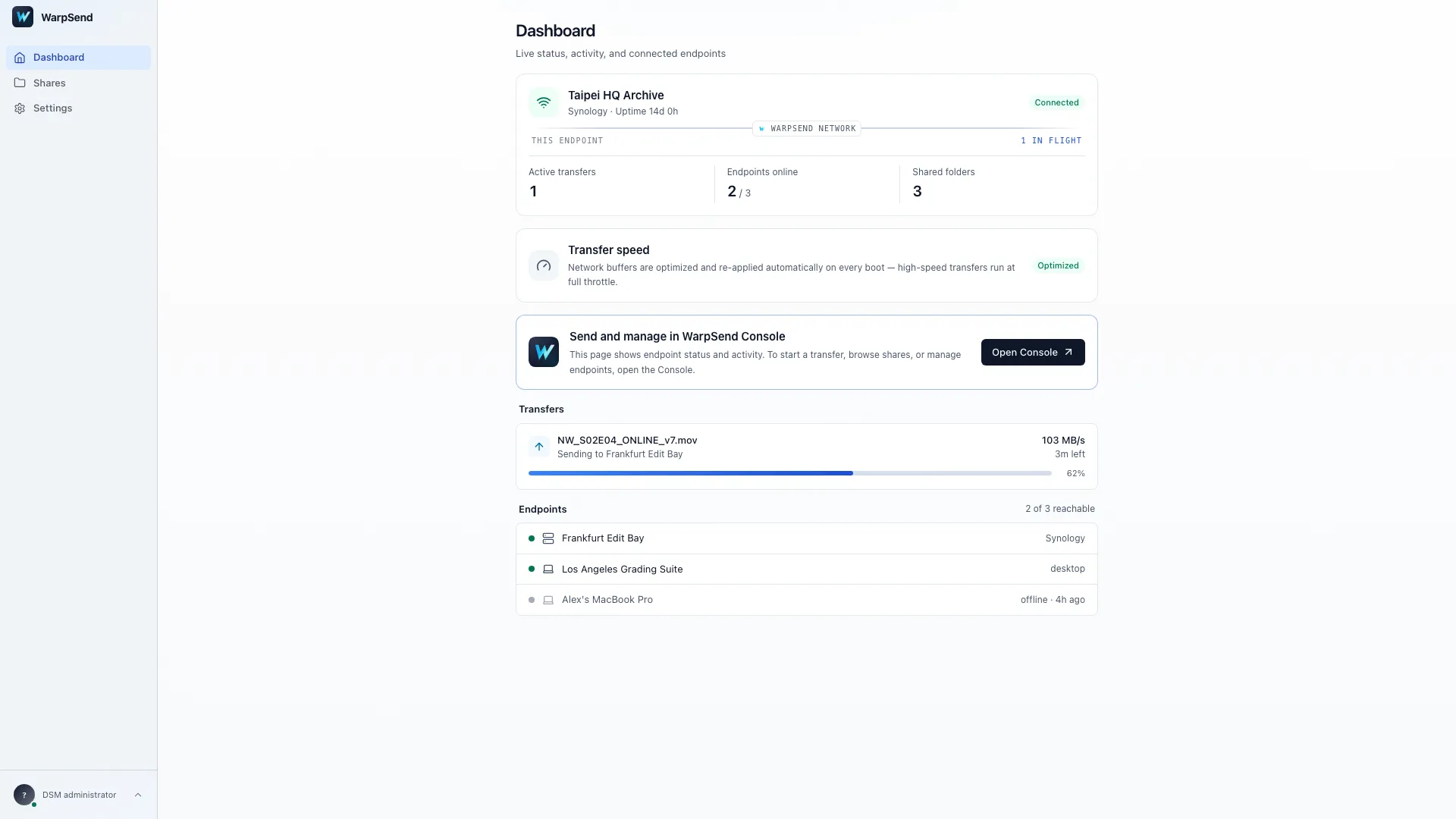
WarpSend agent dashboard on Synology NAS. English interface with Northwind Studios demo data; values are illustrative.
Scheduled transfer is not the same as two-way sync
Presto Automator and Site Express can run scheduled upload, download, distribution, and collection tasks. They can filter files, define transfer behavior, chain tasks, and retry when connectivity is unstable. The task design determines how files move through that sequence.
WarpSync’s primary model is different: select two supported endpoints and configure a one-way or two-way folder sync job. That makes WarpSync the more direct fit when the requirement is to keep ordinary folders aligned rather than to execute a scheduled transfer pipeline.
Neither model should be confused with snapshot recovery. If you need point-in-time recovery, failover, or a versioned backup repository, compare Snapshot Replication, Hyper Backup, Drive ShareSync, Presto, and WarpSync before changing tools.
Pricing and licensed bandwidth
Synology licenses Presto File Server by maximum one-way bandwidth. Its US price page listed the following on the verification date:
| Presto license | Maximum one-way bandwidth | US list price |
|---|---|---|
| Entry | 20 Mbps | $399 |
| Tier 2 | 50 Mbps | $949 |
| Tier 3 | 100 Mbps | $1,799 |
| Tier 4 | 300 Mbps | $4,799 |
| Tier 5 | 500 Mbps | $6,999 |
These are perpetual licenses that include three years of upgrade service and technical support. They allow unlimited desktop clients, can be accumulated on one NAS, and include a one-time 30-day trial on each eligible NAS. Site Express requires an activated license on every participating Synology NAS. Confirm current model support, DSM compatibility, local pricing, taxes, and support terms on Synology’s Presto license page.
WarpSend’s public pricing uses a different model:
- UDP endpoint transfers: separate plans set speed and endpoint capacity. Transfer volume is not metered. See current pricing for the available tiers and terms.
- WarpShare sharing and collection: billed by upload volume, with a monthly upload allowance on the free plan and a larger one on the paid plan; uploads beyond it are billed per GB. See the pricing page for current allowances and rates. Browser downloads have no plan speed cap and require no UDP speed subscription.
- Downloads: multiple recipients and repeat WarpShare downloads add no extra charge or egress fee. Separate UDP endpoint transfers have no traffic charge.
Do not compare the first invoice alone. Model every participating NAS, required bandwidth, transfer volume, recurring egress or storage, upgrade coverage, support, and operator time over the expected deployment life.
When Presto File Server is the better fit
Choose Presto when:
- all server endpoints are compatible Synology NAS devices;
- native DSM users, groups, policies, logs, and reporting are priorities;
- Site Express distribution or collection topology matches the workflow;
- perpetual, fixed-bandwidth licensing is preferred; and
- your administrators can own the required network path and ports.
When WarpSend is the better fit
Choose WarpSend when:
- the team wants agent installation and one interface instead of a licensed server topology;
- supported Synology NAS, desktop, and Linux server endpoints must participate in the same workflow;
- transfer operators cannot configure inbound router rules;
- one-way or two-way folder sync is the main job;
- direct endpoint transfer, browser share links, and sync should coexist; or
- a self-serve free tier and usage-based entry price make evaluation easier.
WarpSend does not replace Snapshot Replication or Hyper Backup recovery semantics.
Run the same proof of concept
Test both products with the same:
- Synology source and destination models;
- DSM versions and shared-folder permissions;
- large-file and small-file workloads;
- real WAN route, latency, jitter, and packet loss;
- firewall and NAT conditions;
- encryption enabled;
- interrupted transfer and resume test;
- one-to-many or scheduled workflow if required;
- storage read and write measurements; and
- total setup time, operator time, and 12-month cost.
Final recommendation
Presto File Server provides Synology-native NAS-to-NAS acceleration. Its strengths are SITA transfer, Site Express topology, policy control, logs, and perpetual bandwidth licensing. Its tradeoffs are the per-NAS server architecture, licensed bandwidth, client components, and network ports.
WarpSend’s advantage is operational flexibility: install lightweight agents on supported Synology NAS, Windows, macOS, and Linux endpoints; manage them from one interface; avoid user-configured inbound port forwarding; and choose direct transfer, browser delivery, or one-way and two-way sync without assembling separate workflows.
If those differences matter, create a free WarpSend account and test the same route and file set you would use with Presto.
Primary sources
- Synology Presto File Server
- Synology Presto Client
- Synology Presto Automator
- Synology Presto File Server licenses
- Synology service port reference
Frequently asked questions
Can Synology Presto File Server transfer files from NAS to NAS?
Yes. Presto File Server supports transfers between multiple Synology NAS servers through Site Express. It can distribute files from one server to others or collect files from several servers, including multi-level transfer topologies. Each participating Synology NAS must run an activated Presto File Server license.
Does Presto File Server require port forwarding?
Presto uses TCP and UDP ports 3360 and 3361 by default. Synology documents that when port forwarding is required, administrators must map the selected external port and the following port to 3360 and 3361. Whether forwarding is required depends on the network path.
Is Synology Presto File Server free?
No. Synology offers a one-time 30-day trial on each eligible NAS, followed by a perpetual bandwidth license. As checked on August 3, 2026, US list prices ranged from $399 for 20 Mbps to $6,999 for 500 Mbps, including three years of upgrade service and technical support.
What is the main difference between Presto File Server and WarpSend?
Presto is a Synology-native accelerated client/server transfer system with bandwidth licensing and Site Express workflows. WarpSend uses lightweight agents and one interface across supported Synology NAS, Windows, macOS, and Linux endpoints, without requiring users to configure inbound port forwarding. WarpSend also combines direct transfer, browser share links, and one-way or two-way sync.
Which is better, Presto File Server or WarpSend?
Presto is a strong fit for an all-Synology server estate that wants native DSM administration, Site Express topology, and perpetual bandwidth licensing. WarpSend is a strong fit when simpler deployment, mixed endpoint types, no user-configured inbound port forwarding, and direct transfer, sharing, and sync on one platform matter more. Test both on the actual route and file set.